Organizations & teams
An organization is a shared Valyd workspace for a company: one team, one set of apps, one workforce roster, one bill. Solo developers don’t need one — every account works standalone. Create an organization when more than one person manages your apps, when apps should outlive any single person’s account, or when you onboard a workforce whose members sign in by face.
This section is split into five pages:
| Page | What’s on it |
|---|---|
| Overview (this page) | How organizations work, why use one, what you get, how to start |
| Roles & access | The owner / admin / developer / member roles and who can do what |
| Members & onboarding | Adding members, invite methods, the lifecycle/status values, reactivation |
| Organization API | The server-to-server member API — every endpoint with real request + response |
| Pricing & billing | The per-seat model and the billing endpoint |
How organizations work
Your company already runs on its own people — employees, staff, contractors — each with your roles and permissions in your system. Valyd doesn’t replace any of that. It adds a verified face-identity and verification layer on top, so the same people sign into your apps by face and carry reusable proofs of who they are.
Here’s the flow — it’s how real integrations work (e.g. how Cisive onboarded their workforce):
- Create an organization and add your people as members — one at a time, by CSV upload, or
over the members API/SDK. No passwords to issue.
Each member you add gets a stable member id
vmem_…(the org member key) — store it against your own employee/user record; it’s your correlation key between your roster and Valyd. - Each member gets an email invite — a face-activation link. They tap it and scan their face once, which binds the membership to a real Valyd identity.
- From then on they sign in by face. Your apps use Connect with Valyd, so the very face the
member activated with is how they authenticate into your tools — no passwords, on Valyd’s IdP.
When that member signs in, the
valyd_org_member_idclaim comes back on the OIDC userinfo response and in the ID token (scoped to your org’s client) — its value is that member’svmem_…id, so you always know exactly which of your people just logged in, and can track logins against your own records. - Layer verification on top. For any member you can run Valyd verification — KYC, professional license, liveness, location — tied to their identity and reusable across your apps, so you don’t re-collect it every time.
Map your existing roles onto members. Add all your people — employees, staff, contractors —
as members (they log in by face). On top of that, promote specific people to admin or
developer, who manage things in the Valyd Developer Portal — the organization, apps,
workflows, and billing — while plain members only face-login to your apps and get read-only
visibility into the organization (its members list, not its projects). Keep your own business roles
and permissions in your system; the
valyd_org_member_id is the join key between your roles and Valyd’s identity/login layer.
Valyd’s member role means only “can face-login to these apps.” And with private apps you
scope an app to assigned members only (enforced right at the login gate), so only your workforce
can sign in — while a public app lets anyone log in. See Roles & access
for exactly what each role can do.
Why use an organization
- A verified workforce — every active member is a real, face-activated Valyd identity, not just an email on a list.
- Face login, no passwords — members sign in by scanning their face; nothing to reset or leak.
- Reuse identity across your apps — proofs a member earns (KYC, license, liveness) carry over; verify once, read everywhere.
- Track exactly who logs in — the
valyd_org_member_idclaim (that member’svmem_…id) comes back on every login, so you always know which of your people authenticated. - One bill — a 14-day verification trial, then a per-active-member monthly plan for unlimited verifications; usage and seats post to a single wallet (pricing & billing has the current price).
- Private apps scoped to your people — a private app only admits assigned members, enforced at the login gate.
- Onboard & offboard over the API — add, invite, deactivate, and remove members server-to-server as your roster changes (Organization API).
What an organization gives you
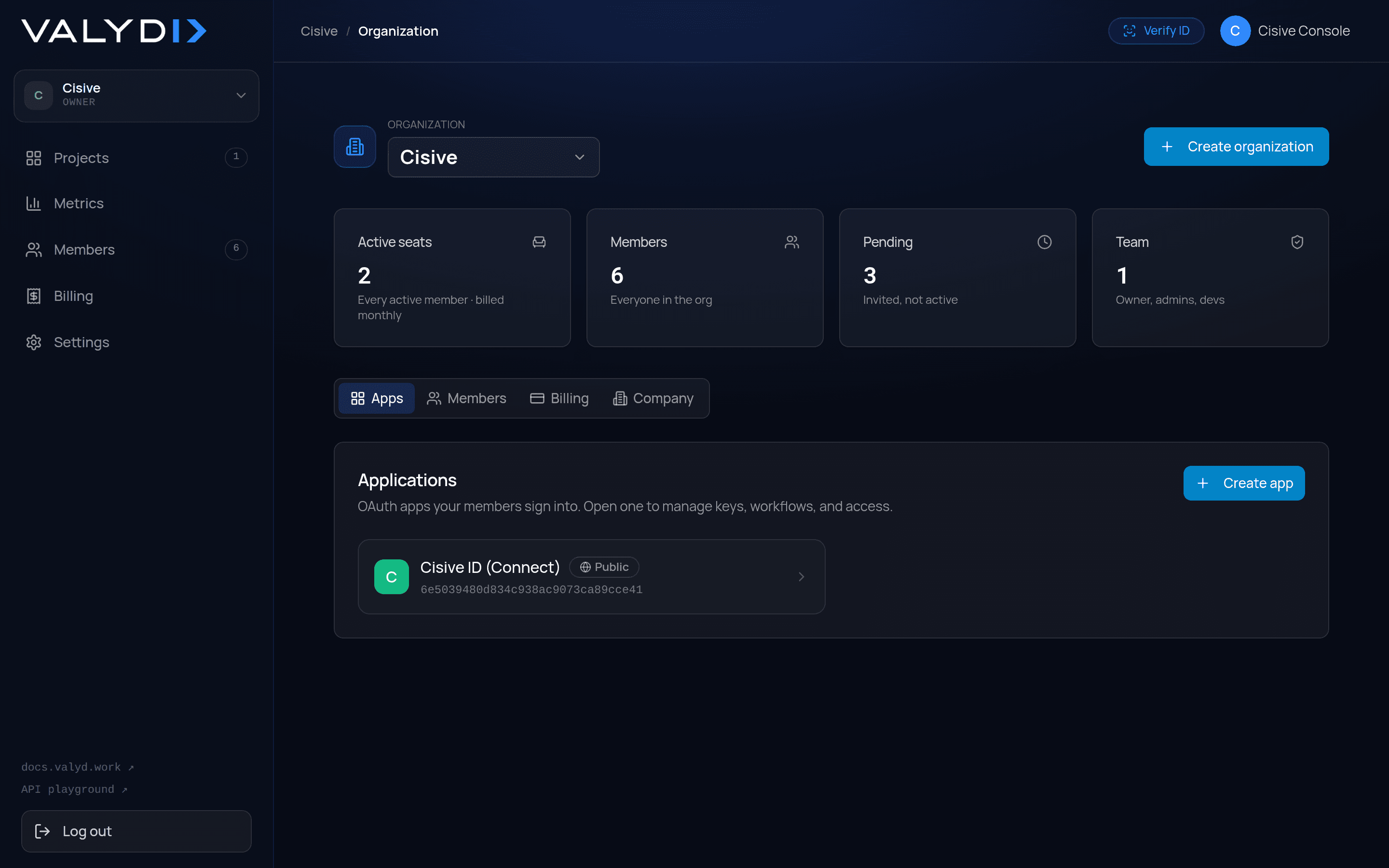
- Teams & roles — invite teammates and give each a role; clear separation between who builds and who administers. See Roles & access.
- Shared apps — apps belong to the organization, not one person. Any developer on the team can manage them; ownership does not leave when a person does.
- Workforce by face — add members by CSV, one at a time, or via the API. Each gets a link and joins by scanning their face — no passwords. Only active (face-activated) members are billable.
- Public & private apps — a public app lets anyone log in (the default). A private app is scoped to specific members: only assigned members can sign in, enforced at the login gate.
- One billing account — pay-as-you-go usage and per-seat subscriptions post to a single wallet and ledger. Multiple products, billed from one place.
How to integrate
- Add the button — wire Connect with Valyd into your app so members authenticate by face with the identity they activated.
- Add your people — push your roster with the members API (or CSV / one at a time in the portal); each member gets a face-activation invite.
- Scope who gets in — mark the app private and assign members so only your workforce can sign in.
How to start
- Sign in to the developer portal (https://dev.valyd.work ) and open the Organizations tab.
- Create an organization from the selector — you become its owner.
- Invite teammates (developer or admin) and create apps under the organization.
- Add members (your workforce) by CSV, singly, or with
addMembers(); they join by scanning their face. - Mark apps public or private, and assign members to the private ones.
Notes for integrators
- Organizations do not change the login/verification API surface. Your app still uses the same OAuth
client_id/client_secretfor Connect with Valyd and the same App API key for the Verification APIs — an organization governs who owns the app, who may log into it, and gives you the Members API for workforce onboarding. - For a private org app, a user who is not an assigned member is refused at the OAuth authorize step. Public apps behave exactly as before.