Workflows
🔑 Configured in: the Developer Portal · 🧩 Used by: verification sessions (
workflowId)
A workflow defines what Valyd needs to verify for your application — a reusable bundle of
checks. You define it once in the Developer Portal and reference its workflowId every time you
create a session through the SDK. Valyd’s verification page auto-adapts its steps to the
workflow’s checks, and all results come back together in one decision.
Example: the “KYC + License” workflow
The workflow’s features are [id_verification, liveness, face_match, credential], and the
user’s session walks the chain:
Because the license is matched against the name OCR’d from the verified ID, the user never types a name and cannot present someone else’s license.
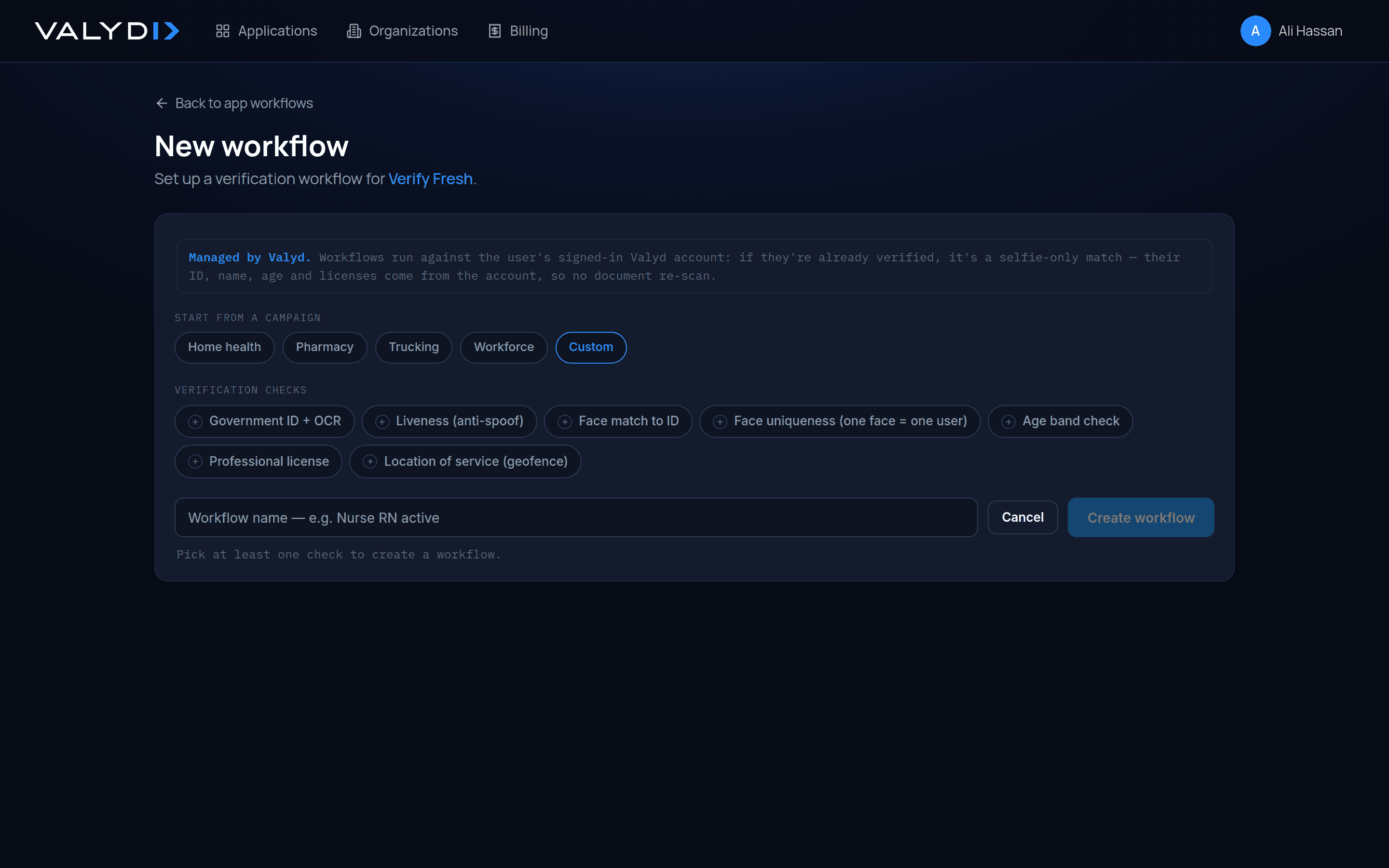
Creating a workflow
Workflows are created and edited in the Developer Portal (https://dev.valyd.work ) →
Workflows — there is no workflow-CRUD SDK method. Create a workflow from a preset, then copy
its workflowId. There are two presets, and both use the same integration code — only the
workflowId differs:
License Verification — Credential only
- Checks:
[credential] - Flow: State → license type → name + license number → verify.
- Fastest path to verify a professional license. No ID scan required.
KYC + License — Identity + Credential
- Checks:
[id_verification, liveness, face_match, credential] - Flow: Scan ID + selfie (OCR + liveness + 1:1 face match), then state + license type + license number.
- The name is taken from the verified ID automatically (the user doesn’t type it), so a license belonging to a different person is rejected.
IF you only need to verify a professional license (no ID scan):  → use the "License Verification" workflowId
IF you need identity + credential (ID scan + selfie + license):  → use the "KYC + License" workflowId
IF unsure which workflowId to use:                               → open the Developer Portal (https://dev.valyd.work) → Workflows, and copy the workflowId of the preset you created
Using the workflow ID
Pass the workflowId when creating a session through the SDK:
const session = await verify.sessions.create({
  workflowId:  process.env.VALYD_WORKFLOW_ID,
  redirectUrl: "https://app.example.com/verify/callback",
});
The session’s features array in the response echoes the workflow’s checks. Both presets
use the same integration code — only the workflowId differs, so switching from license-only
to full KYC + license is a one-variable change.
Example: bundling several checks in one session
One session can run several checks back to back — the person completes them all on one page, and you get one combined decision. A common shape is an EVV / home-health onboarding where a caregiver must, in a single sitting, prove who they are, that they’re licensed, and where they are:
- ID / KYC — scan a government ID (OCR + authenticity) with a live selfie and 1:1 face match.
- Professional license — verify their nursing/clinical license against the name on the ID.
- Location verification — confirm they’re at the visit location.
You don’t wire these together in code. In the Portal’s workflow builder you pick the checks (and
their order) once, and Valyd hands you a single workflowId. Then the same one call you already
use runs the whole flow — the person selects nothing technical, they just complete each step in
turn:
// The workflow already bundles [id_verification, liveness, face_match, credential, location].
const session = await verify.sessions.create({
  workflowId:  process.env.VALYD_EVV_WORKFLOW_ID, // the EVV workflow you built in the portal
  redirectUrl: `${process.env.APP_URL}/visits/verified`,
  callback:    `${process.env.APP_URL}/webhooks/valyd`,
  vendorData:  visit.caregiverId,   // your internal ref — echoed back on the webhook
});
// → res.redirect(session.url)  — one page, ID → license → location, in order
When the caregiver finishes, one signed webhook fires with one decision covering every check,
and the decision’s checks array carries the per-check breakdown (ID, liveness, face match,
license, location) — read it as in Decisions & statuses.
Changing a workflow
Update a workflow’s name or features in the Portal. A session runs the checks of the workflow it was created with — create a new session to pick up changes. Keep separate workflows (and apps) for test and production rather than mutating one in place.
Reuse on connected sessions
When a session is created with the connected user’s valyd_access_token
(Reusable Verification), the flow skips steps the account has already
completed — an already-KYC’d user isn’t asked to rescan their ID; a returning user re-verifies
with a selfie matched against their stored face vector. A session created without a user’s token
always runs every check in the workflow.
Next: Run a verification for the full session flow, or the checks reference for what each check does.